…And Everything Else

Day 4 of the RI workshop, Summer 2024

Austin Cutler

FSU

Today’s Class

  • Looking at each other’s figures
  • Reviewing content from the previous days of the workshop
  • Using for loops
  • Writing Functions

If time

  • Merging datasets
  • Long vs. Wide data
  • A primer on R projects and Rmarkdown/quarto

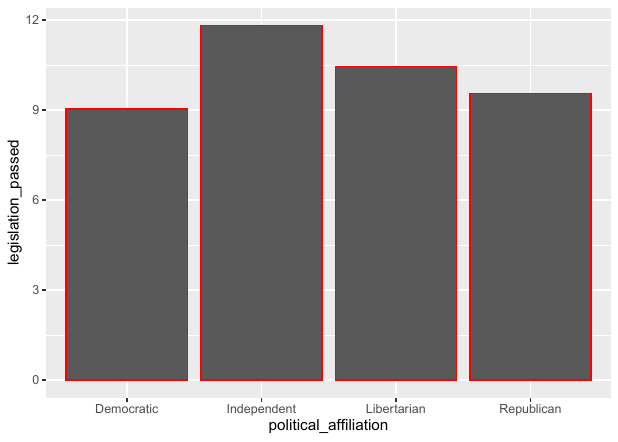
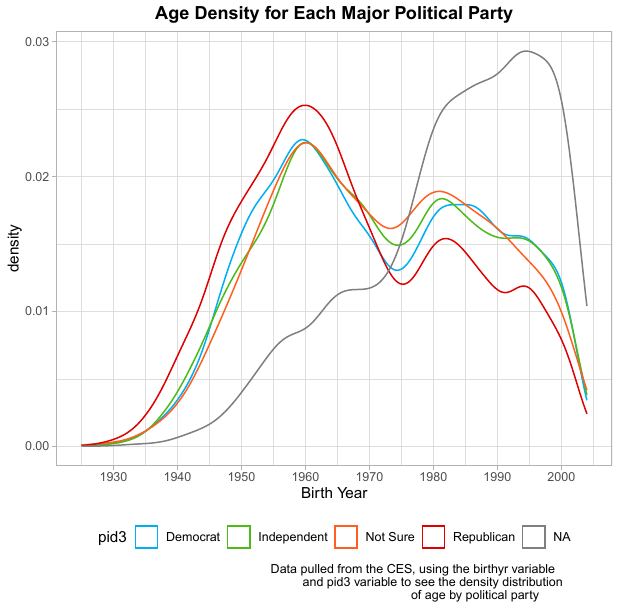
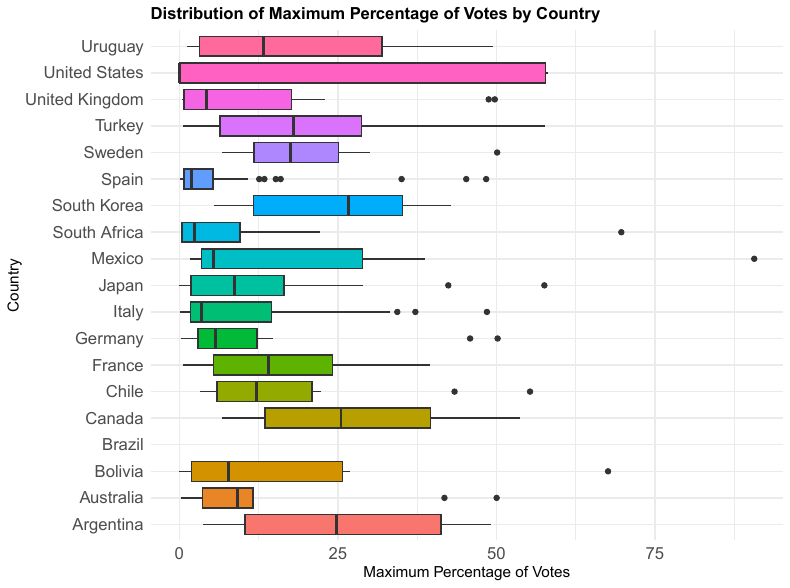
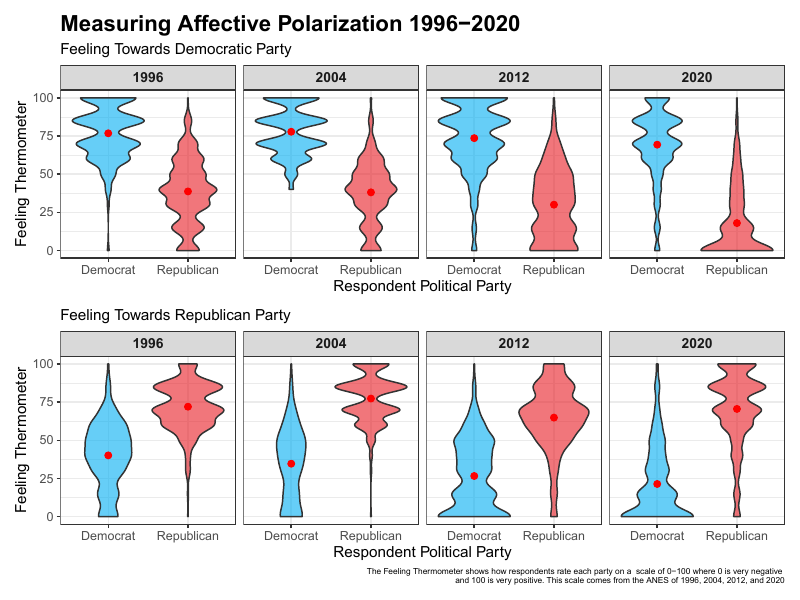
Last Year’s Winning Figure

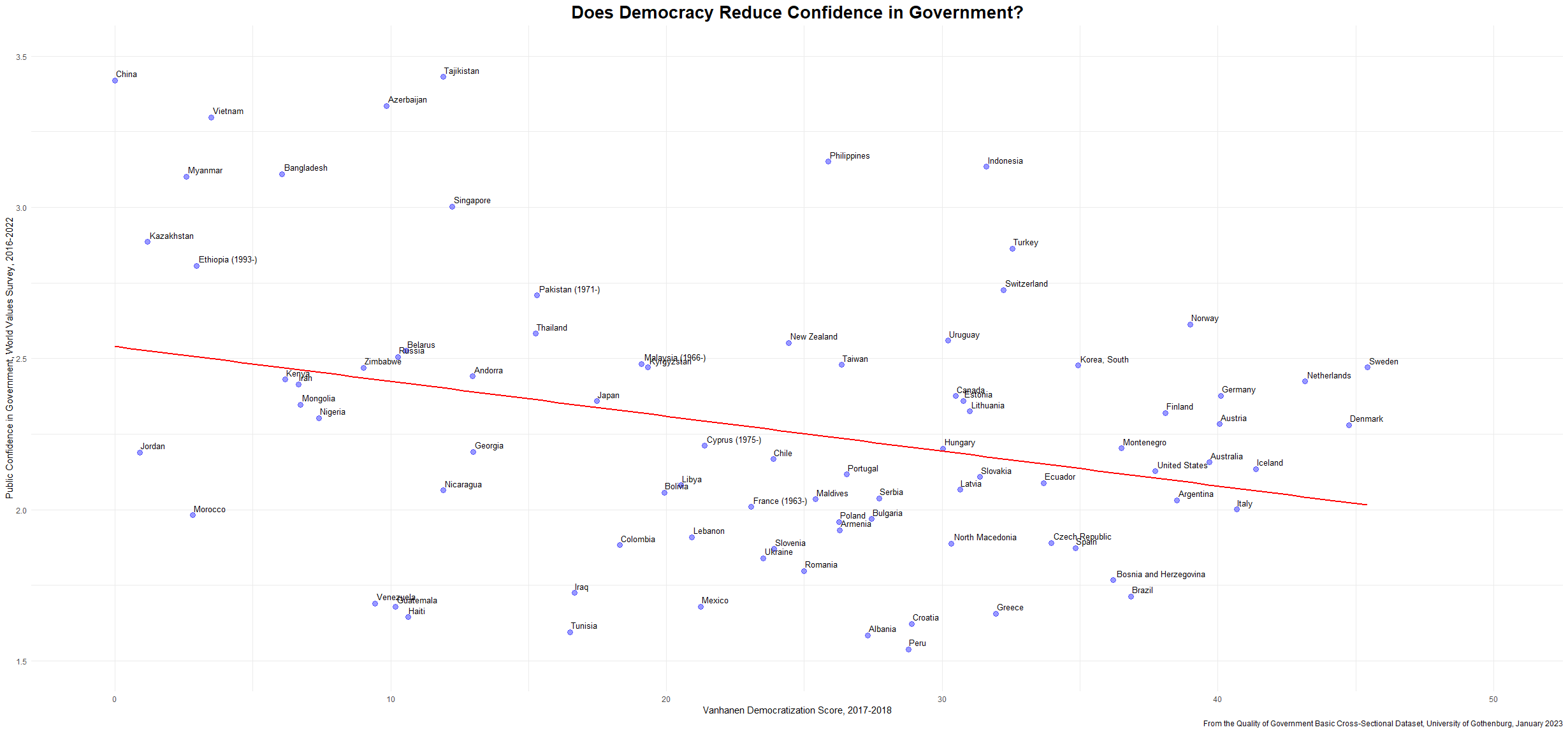
Figure 1

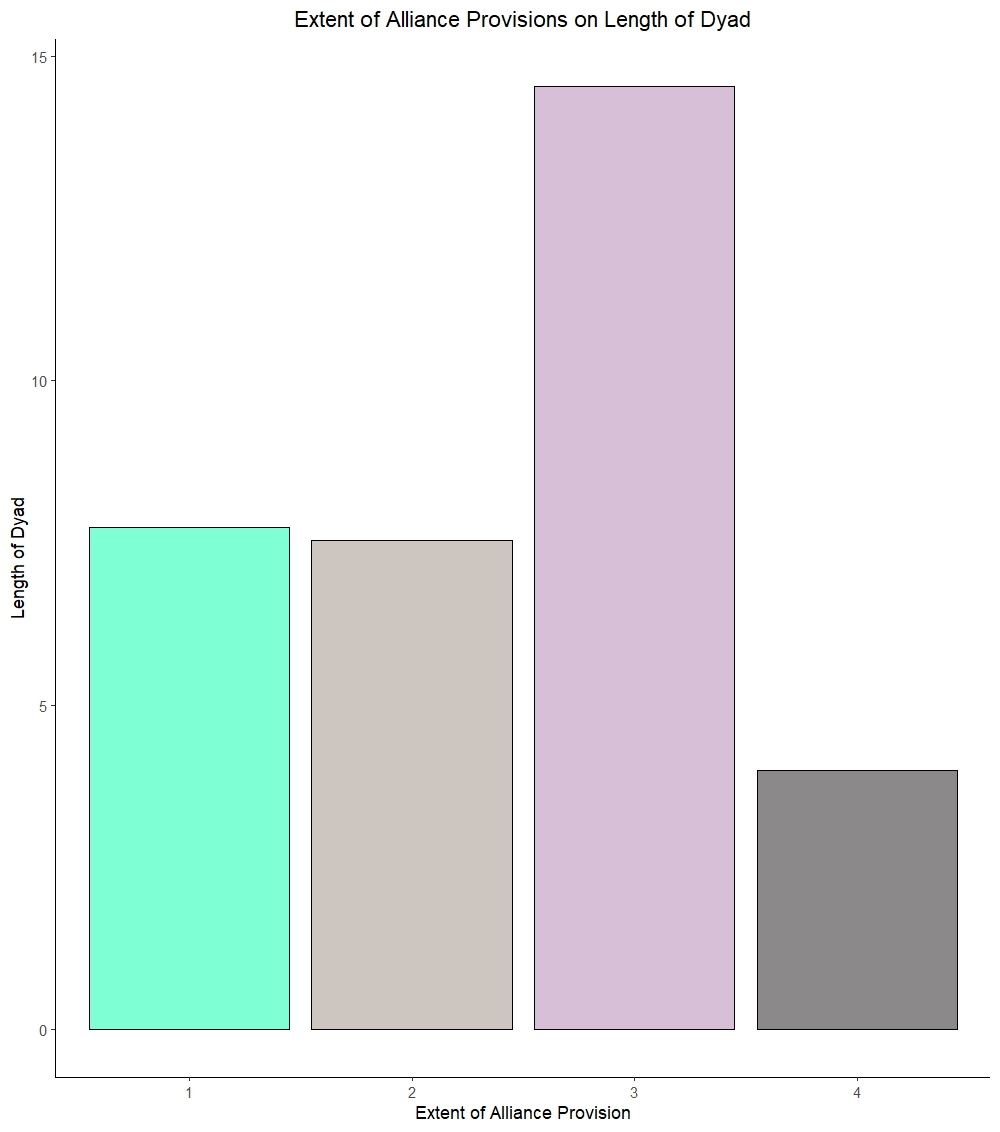
Figure 2

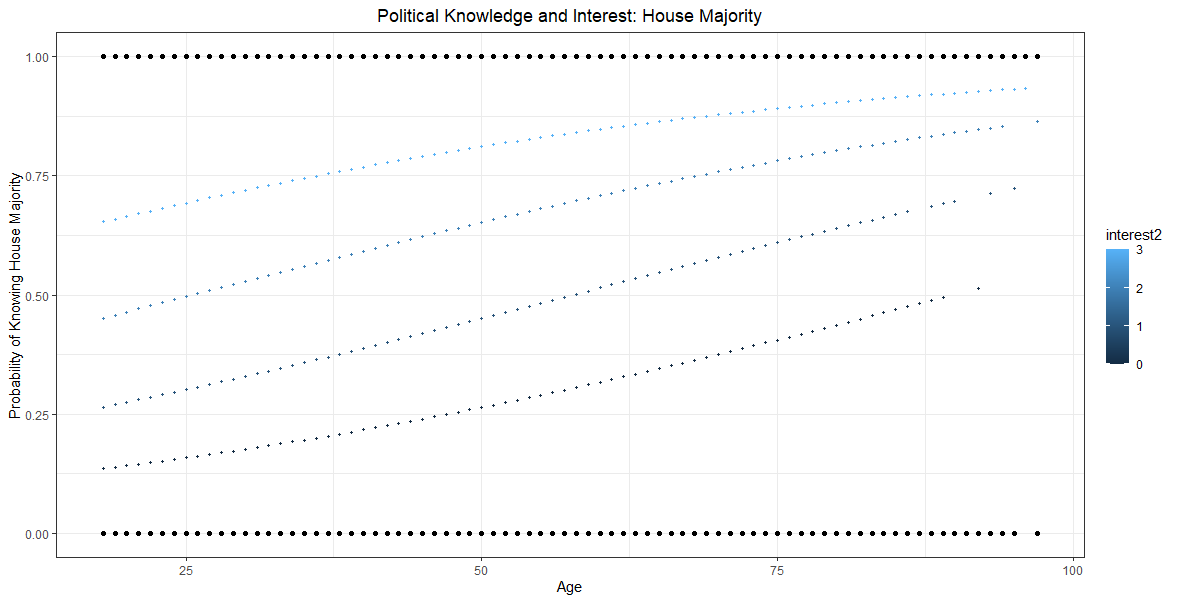
Figure 3

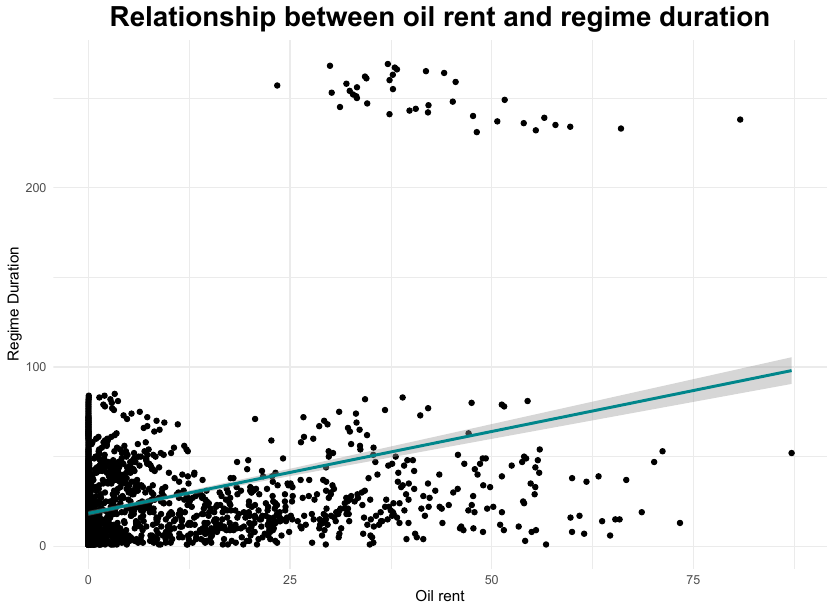
Figure 4

Figure 5

Figure 6

Figure 7

What have we gone over?

  • Navigating our computers
  • Different types of data structures
  • Loading different types of data into R
  • Cleaning data
  • Creating lists, vectors, and data frames
  • Checking the dimensions of our data
  • Boolen logic (logical statements)
  • Questions on any of this so far?

Practice Manipulating Data

  • In groups of 2, perform the following tasks:
  1. Create a dataframe with the following variables and name it world_data
a. country: USA, JAP, CAD, RUS, UK
b. wars: 10, 3, 6, 8, 4
c. gov: pres, par, par, auth, par
d. turnout: 60, 80, 75, 99, 80
e. elect_yr: TRUE, FALSE, FALSE, NA, TRUE
  1. Estimate the average turnout by government type.
  2. Create a frequency table for government type.
  3. Create a new variable in the data that is a dummy variable that is 1 when a country is authoritarian and 0 when they are not. Be sure to save the dataframe with this new variable in it.
  4. Filter the data so to only countries that have elections.

Answers

library(tidyverse)

data <- data.frame(country  = c('USA', 'JAP', 'CAD', 'RUS', 'UK'),
                   wars     = c(10, 3, 6, 8, 4),
                   gov      = c('pres', 'par', 'par', 'auth', 'par'),
                   turnout  = c(60, 80, 75, 99, 80),
                   elect_yr = c(TRUE, FALSE, FALSE, NA, TRUE))

data %>% 
  group_by(gov) %>% 
  summarize(turn = mean(turnout))
# A tibble: 3 × 2
  gov    turn
  <chr> <dbl>
1 auth   99  
2 par    78.3
3 pres   60  
table(data$gov)

auth  par pres 
   1    3    1 

Answers 2

data$auth <- ifelse(data$gov=='auth', 1, 0)

data[!is.na(data$elect_yr),]
  country wars  gov turnout elect_yr auth
1     USA   10 pres      60     TRUE    0
2     JAP    3  par      80    FALSE    0
3     CAD    6  par      75    FALSE    0
5      UK    4  par      80     TRUE    0
data[data$auth != 1,]
  country wars  gov turnout elect_yr auth
1     USA   10 pres      60     TRUE    0
2     JAP    3  par      80    FALSE    0
3     CAD    6  par      75    FALSE    0
5      UK    4  par      80     TRUE    0
na.omit(data[data$elect_yr==TRUE|data$elect_yr==FALSE,])
  country wars  gov turnout elect_yr auth
1     USA   10 pres      60     TRUE    0
2     JAP    3  par      80    FALSE    0
3     CAD    6  par      75    FALSE    0
5      UK    4  par      80     TRUE    0

Break?

Loop de Loops

  • This portion of the workshop we will review lists and being practicing with for loops
  • For loops are used to iterate through the same task repeatedly
  • The general structure of for loops is as follows:
results <- container_for_results

for (variable in vector) {
  function to perform(vector[variable]) -> results[[variable]]
}

Loop Example

  • Below is a simple loop
vec <- c(1,2,3,4,5,6)

results <- c()

for(i in vec){

  1+vec[i] -> results[i]

}

results
[1] 2 3 4 5 6 7

Loops and List

  • Note that in the previous example our results were stored in a vector, we are also able to store results in lists or data frames
results_l <- list()

for(i in vec){
  1+vec[i] -> results_l[i]
}

results_l
[[1]]
[1] 2

[[2]]
[1] 3

[[3]]
[1] 4

[[4]]
[1] 5

[[5]]
[1] 6

[[6]]
[1] 7

Nested Loops

  • We can also nest loops to iterate through tasks multiple times. Below is an example:
results <- c()

results_n <- c()

for (i in vec) {
  2+vec[i] -> results[i]
  
  for(j in vec){
    results[j]/length(vec)*17 -> results_n[j]
  }
}

data.frame(results, results_n)
  results results_n
1       3   8.50000
2       4  11.33333
3       5  14.16667
4       6  17.00000
5       7  19.83333
6       8  22.66667

Loops and Data Frames

  • We can also save to dataframes with for loops
  • This is particularly useful in a nested for loop
results <- data.frame(col1 = c(1,2,3,4),
                      col2 = c(5,6,7,8),
                      col3 = c(9,10,11,12))


for(i in 1:nrow(results)){
  for(j in 1:ncol(results)){
    
    results[i,j]+17/2 -> results[i,j]
    
  }
}

results
  col1 col2 col3
1  9.5 13.5 17.5
2 10.5 14.5 18.5
3 11.5 15.5 19.5
4 12.5 16.5 20.5

Practice

Start with the following vector:

vec <- c(5,10,15,20,25,30)

And using write separate for loops to do the following:

  1. Go through and add 7 to each item (store results in a new vector)
  2. Divide each number by 5 (store results in a new vector) Bonus 2:
  3. Make a dataframe with 3 columns, counting up by 2 (col 1: 2,4,6,8,10,12, col 2: 14, 16, etc.) and add the last item from vec to the first item in each column (hint: invert the index with abs(i-length(vec)))
  4. Write a loop to save each cell in the data from from 3. as an item in a list

Writing a function

  • In R, we are also able to write functions
  • These functions have the same structure as the canned functions in R, and are stored in our global environmnet
add_two <- function(x){
  x+2
}

add_two(2)
[1] 4

Applying Functions

  • Depending on the function, they may be applicable to whole vectors or need to be applied to individual points in the data
dat <- data.frame(vec = vec, pl_2 = add_two(vec))

dat
  vec pl_2
1   1    3
2   2    4
3   3    5
4   4    6
5   5    7
6   6    8
add_two(dat)
  vec pl_2
1   3    5
2   4    6
3   5    7
4   6    8
5   7    9
6   8   10