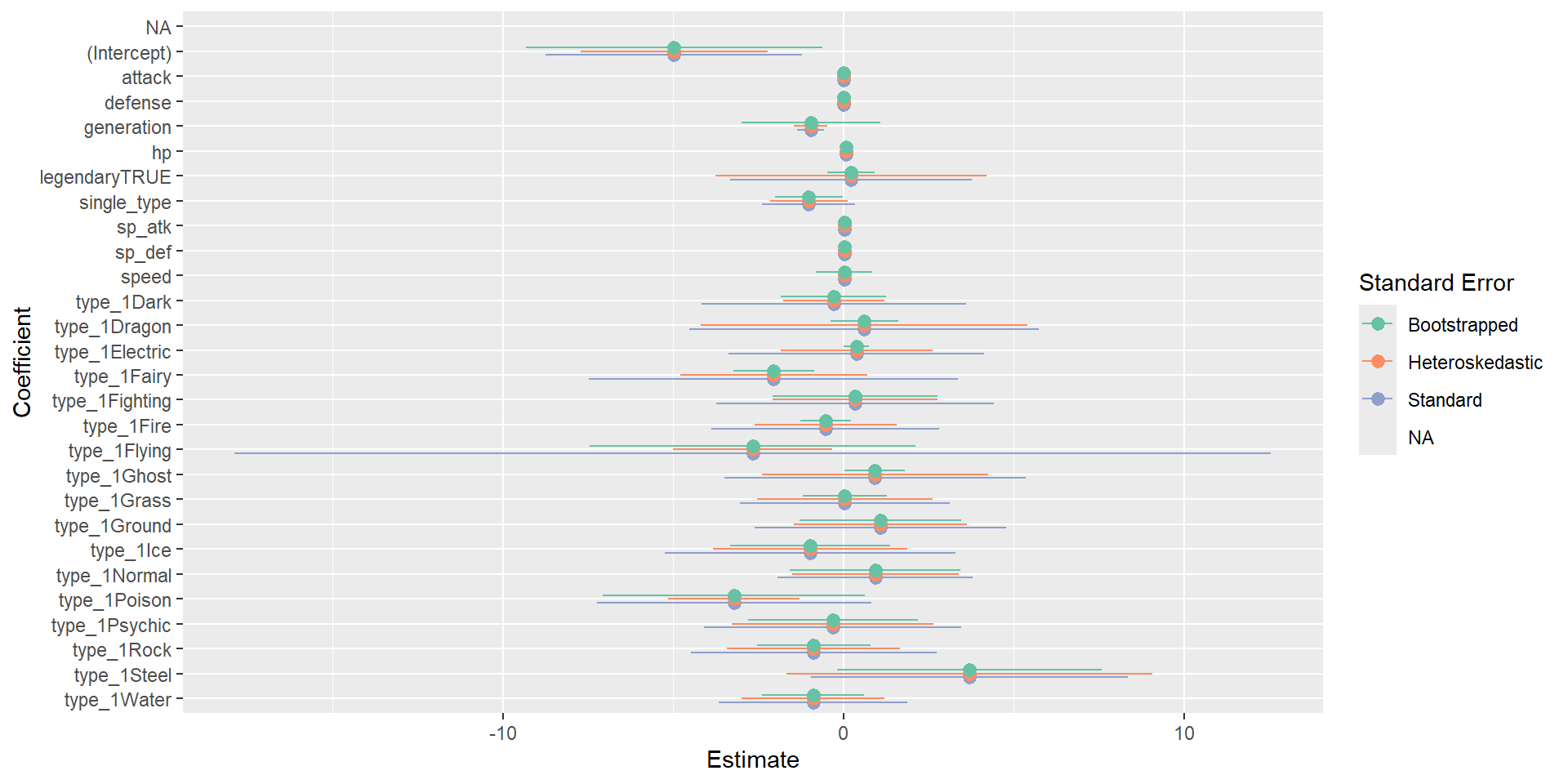
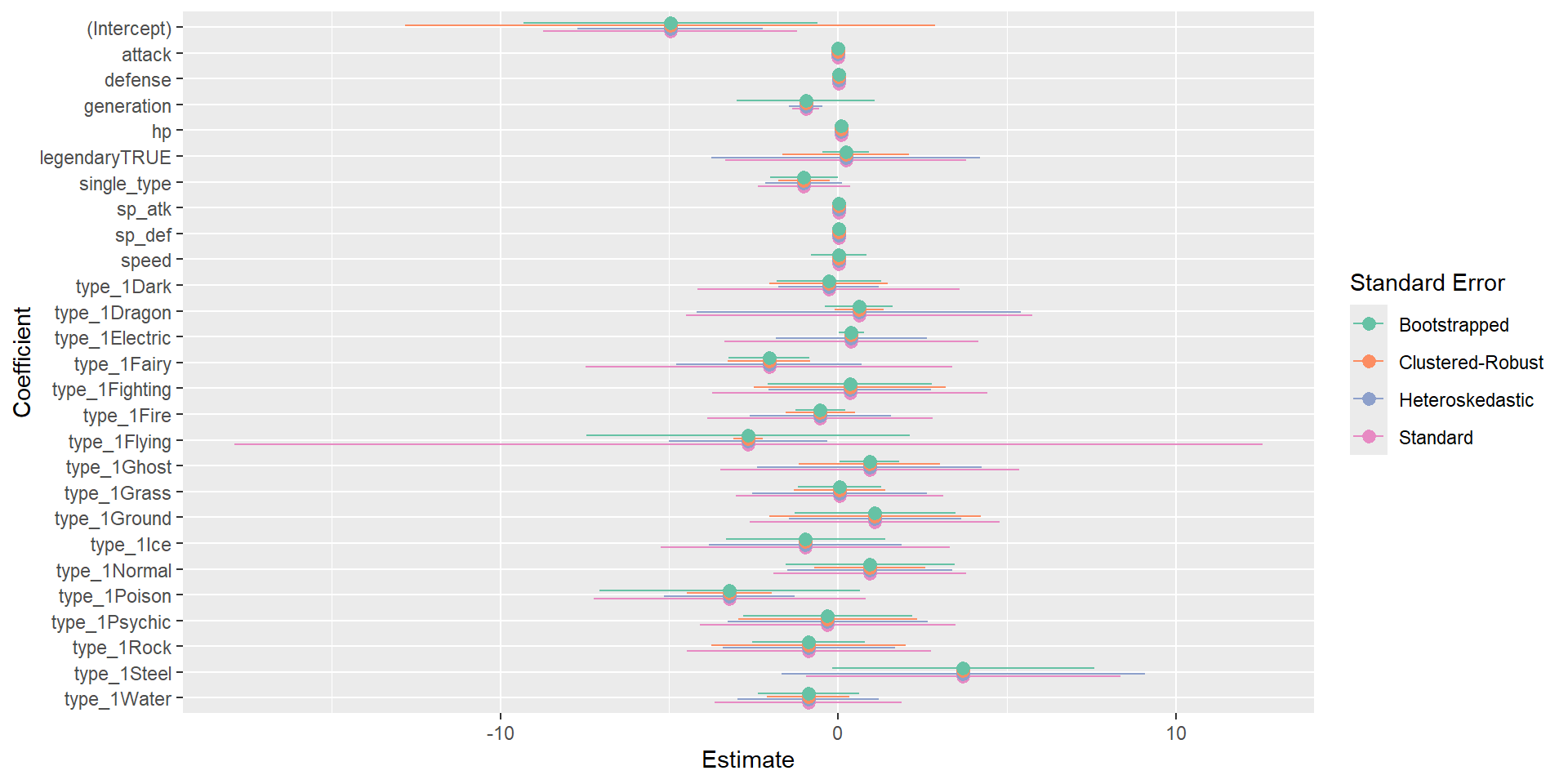
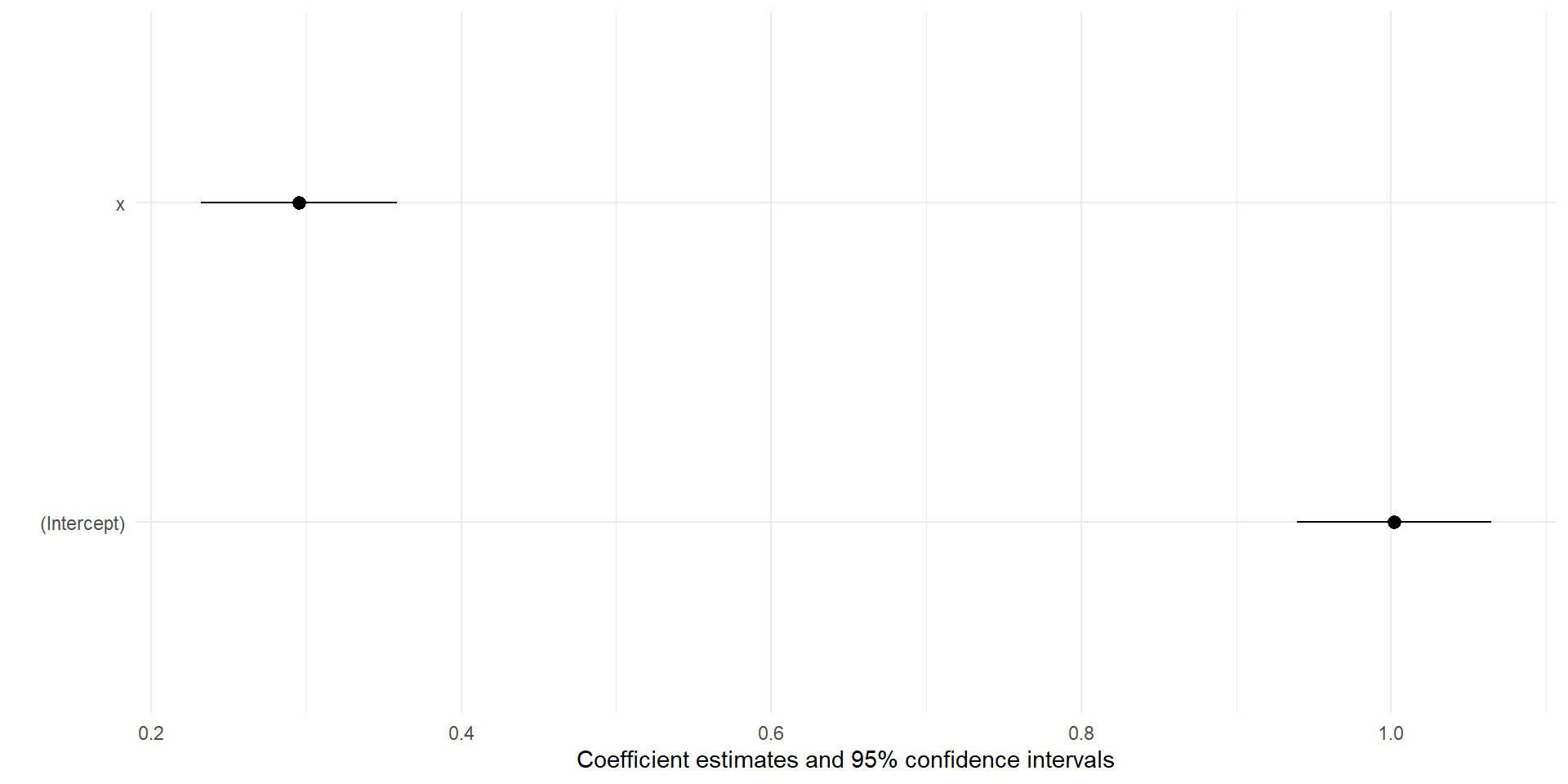
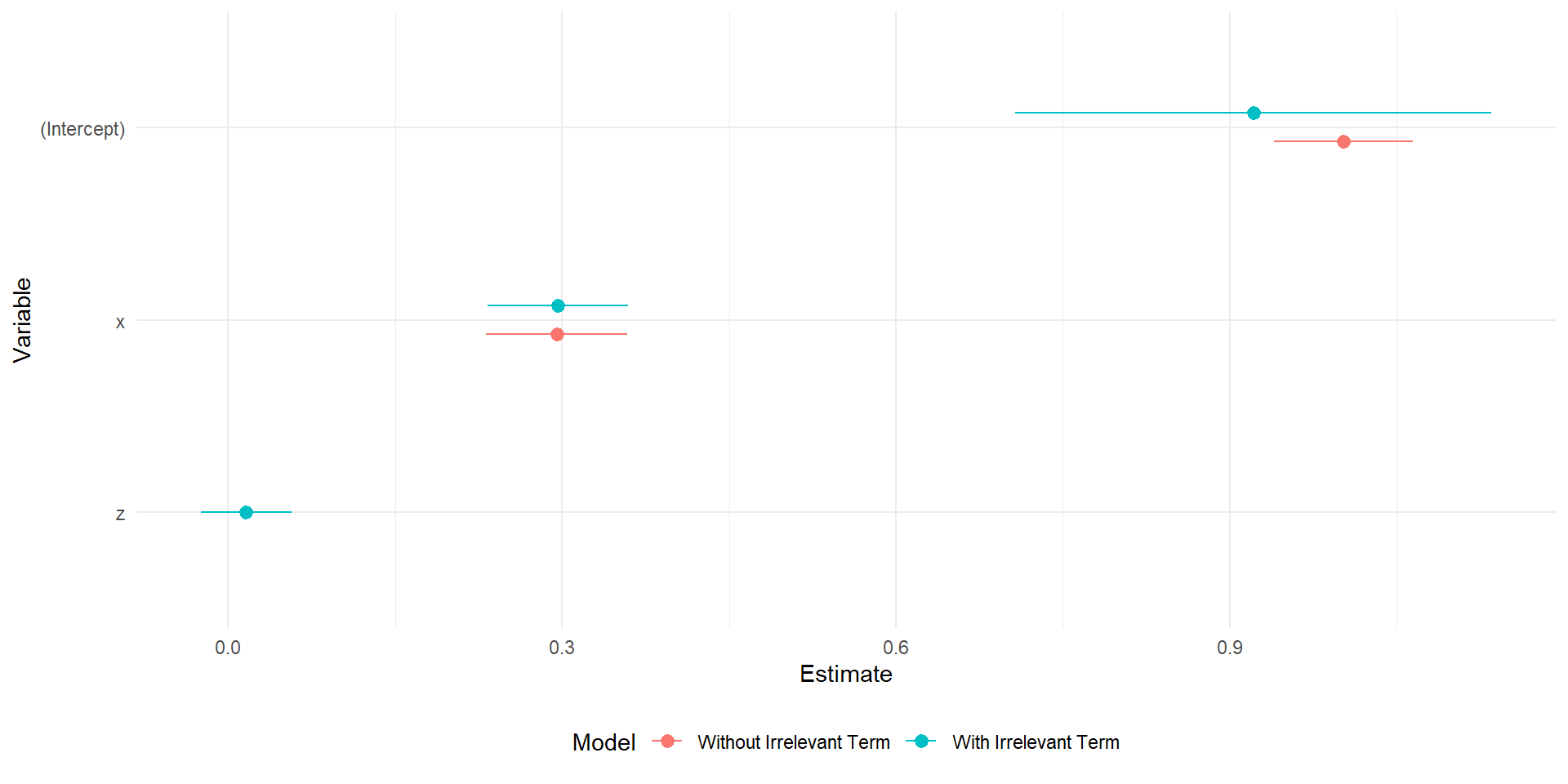
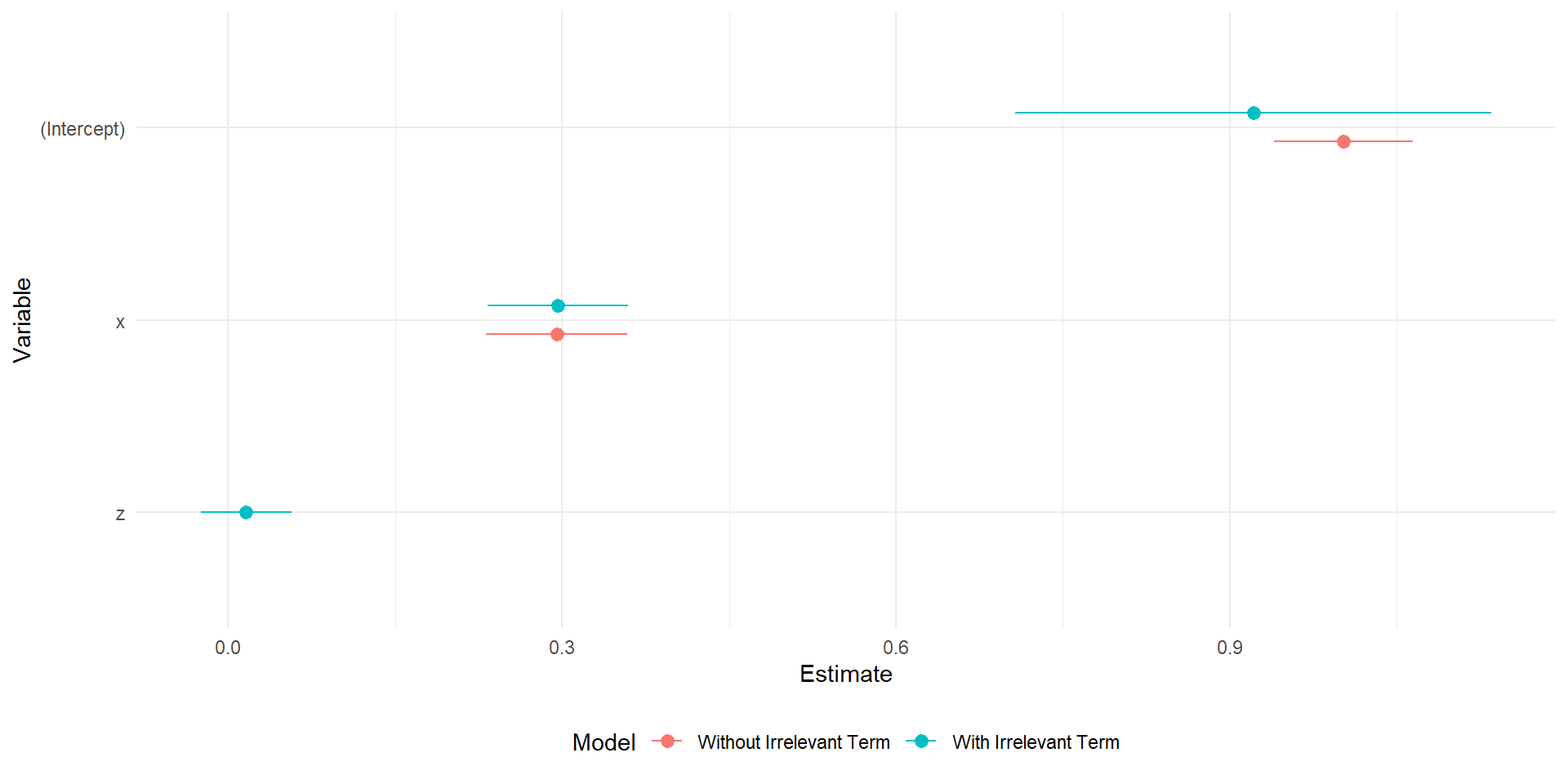
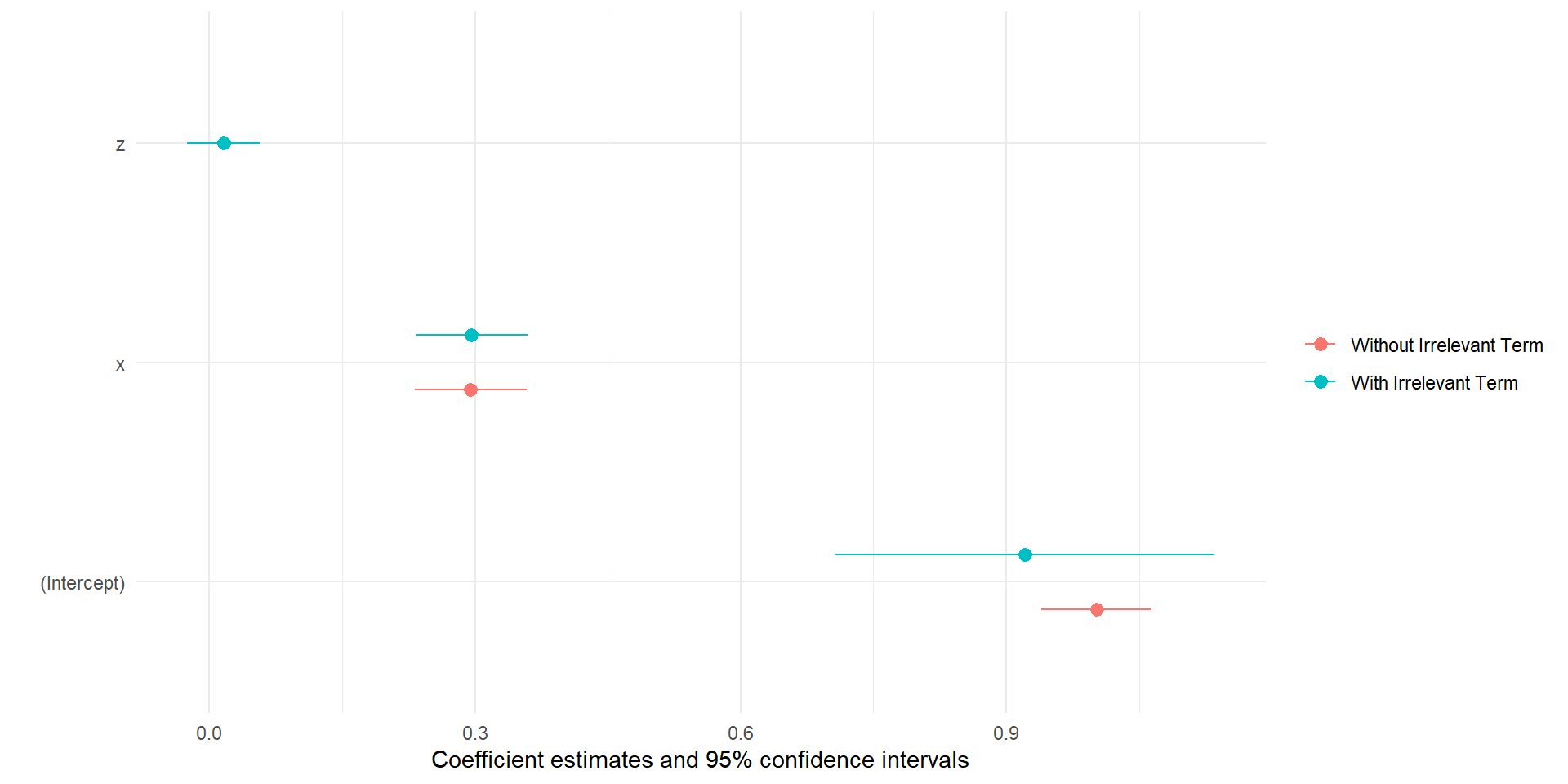
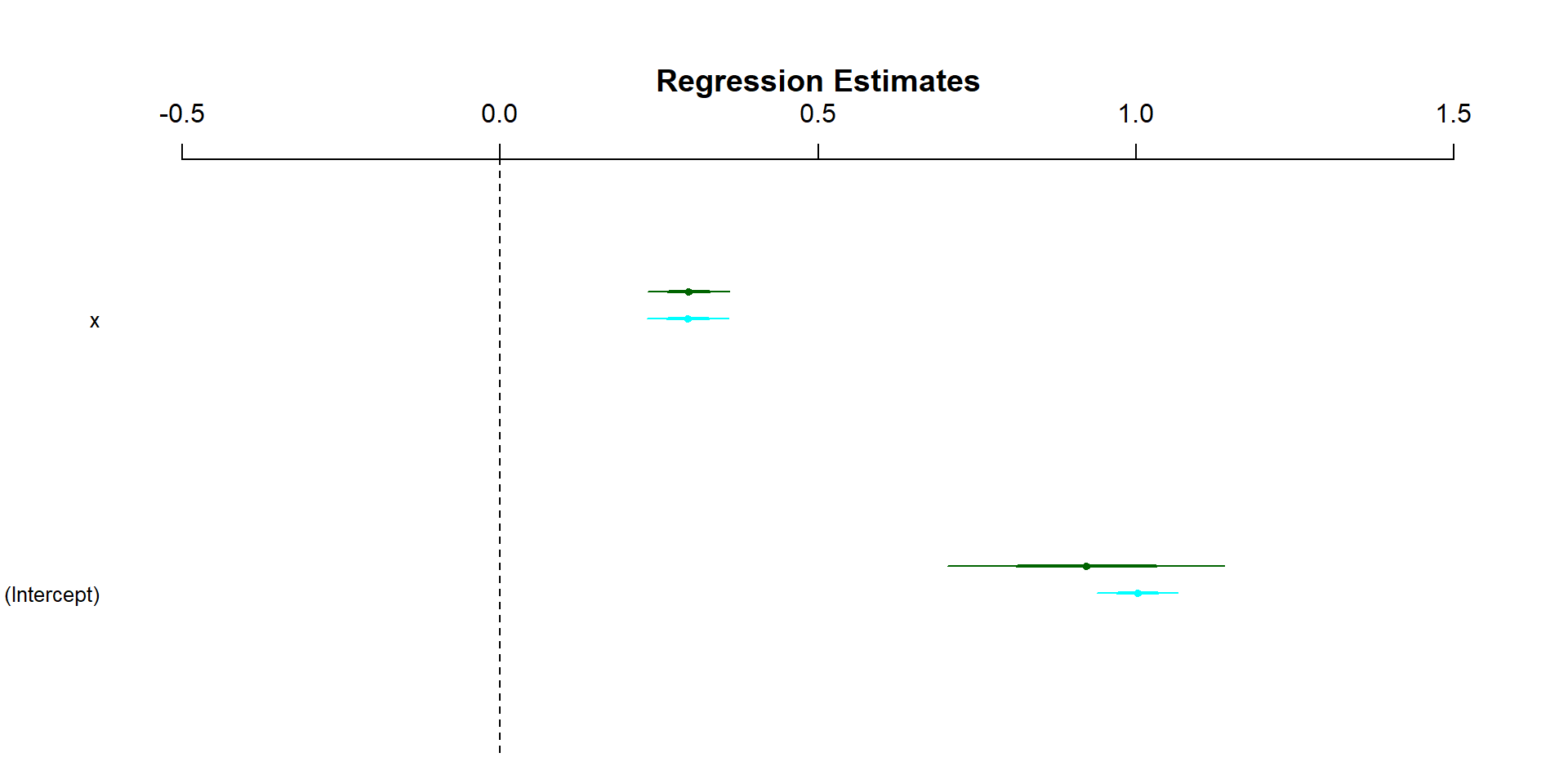
tibble(est =coef(lm3), se = fit_h[,2], lower = ci[,1],upper = ci[,2],coef =names(coef(lm3)),vcov ='Heteroskedastic') %>%bind_rows(tibble(est =coef(lm3), se = fit_cr[,2],lower = ci_cr[,1],upper = ci_cr[,2]),tibble(est =coef(lm3), se = lmtest::coeftest(lm3)[,2],lower =confint(lm3)[,1],upper =confint(lm3)[,2],vcov ='Standard',coef=names(coef(lm3))),tibble(est =coef(lm3), se = fit_bs[,2],lower = ci_bs[,1],upper = ci_bs[,2],vcov ='Bootstrapped',coef =names(coef(lm3))))%>%ggplot(aes(x = est, y =fct_rev(coef), color = vcov))+geom_pointrange(aes(xmin = lower, xmax = upper),position =position_dodge2(.45,reverse =TRUE))+labs(color ='Standard Error',y ='Coefficient', x ='Estimate') +scale_color_brewer(palette ='Set2')
Student G1
Let’s get optimal
Optimization
There will be times where you may need to optimize a function in R
When we say optimize, we’re referring to finding the solution to a described problem
Most often this involves finding a local or global minimum or maximum (i.e., finding the point where our function’s derivative equals 0)
To do this, we can use the optim() function in R
optim()
To use optim(), we first need to supply it with a function to optimize (Note: this is another use case for being comfortable with user created functions)
You need to supply optim() with the starting value for the parameters to be optimized over
You also need to define the method being used (we’ll most often use ‘L-BFGS-B’)
optim()
Below is an example:
# first I need to define the function I want to optimizefunction_1 <-function(x) {# this function calculates the square of its input and adds 1x^2+1}# second, I supply this function to optim()optim(par =5, function_1, method ="L-BFGS-B")
convergence will indicate if the algorithm converged (i.e., if a minimum can be found), will be 0 if it did
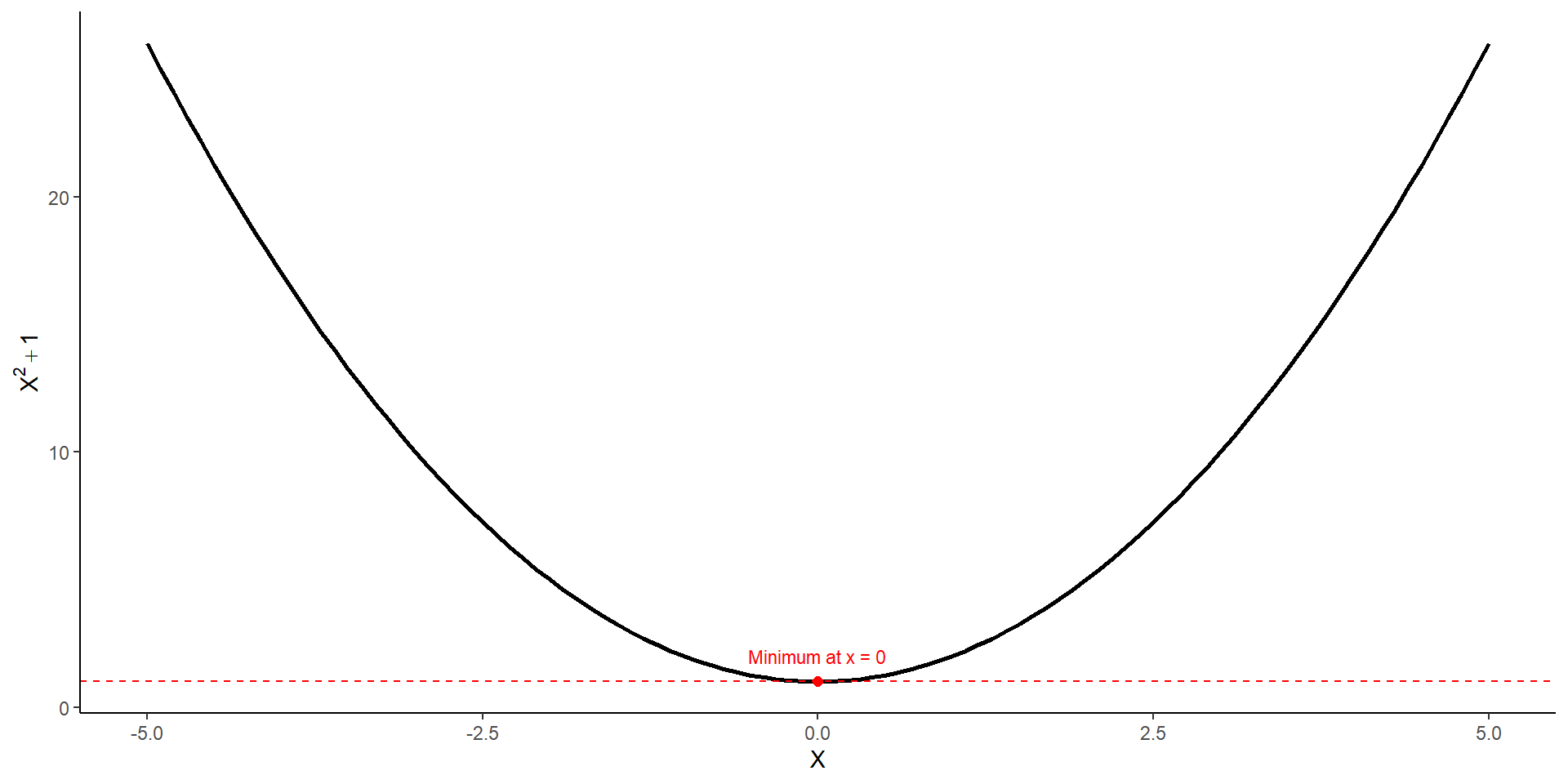
par is the value where the given function is minimized
value is the global minimum of the function
Maximization
By default, optim() will estimate the minimum, however, we can change this to be the maximum if we add control = list('fnscale' = -1) to our original code
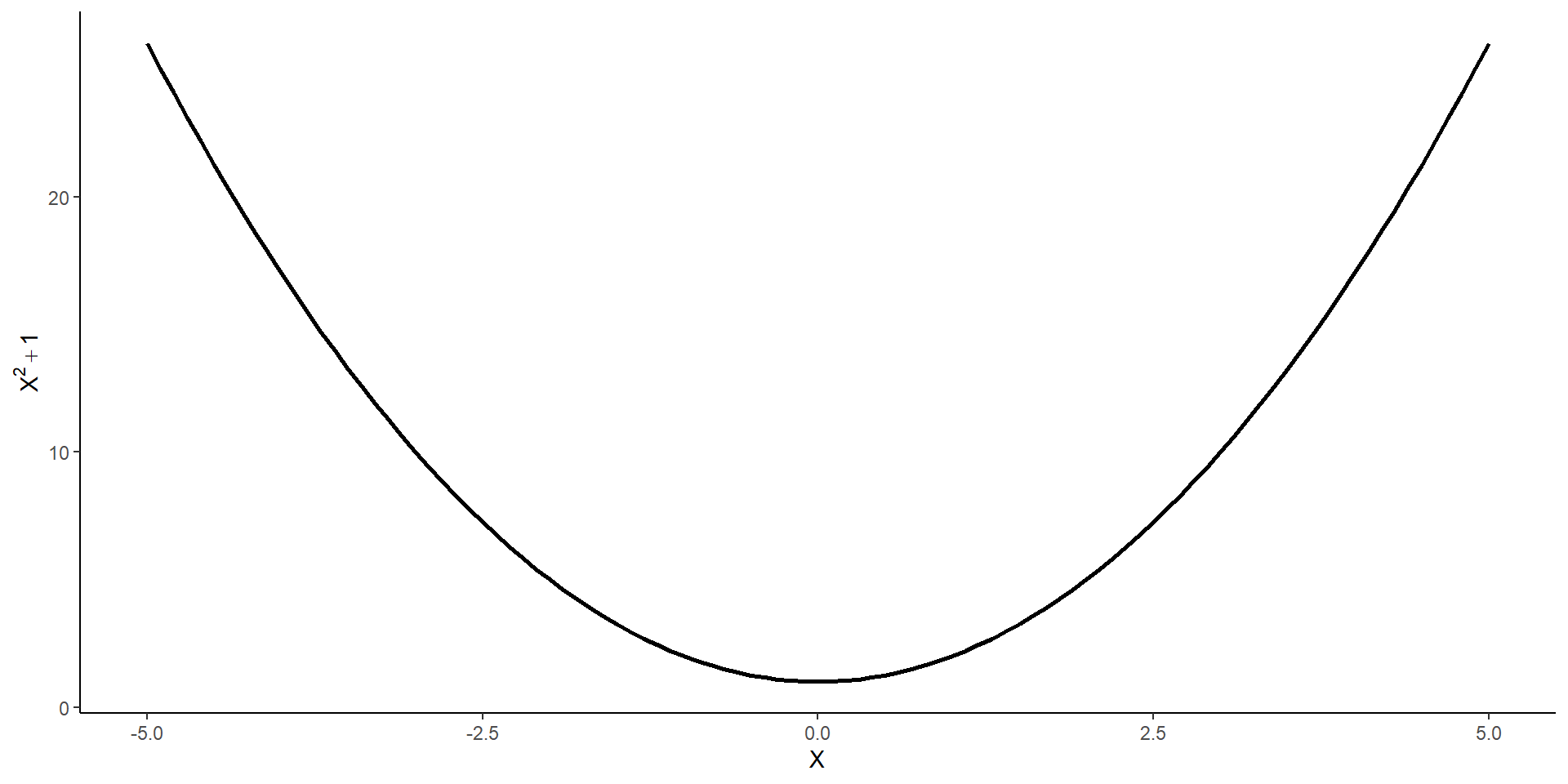
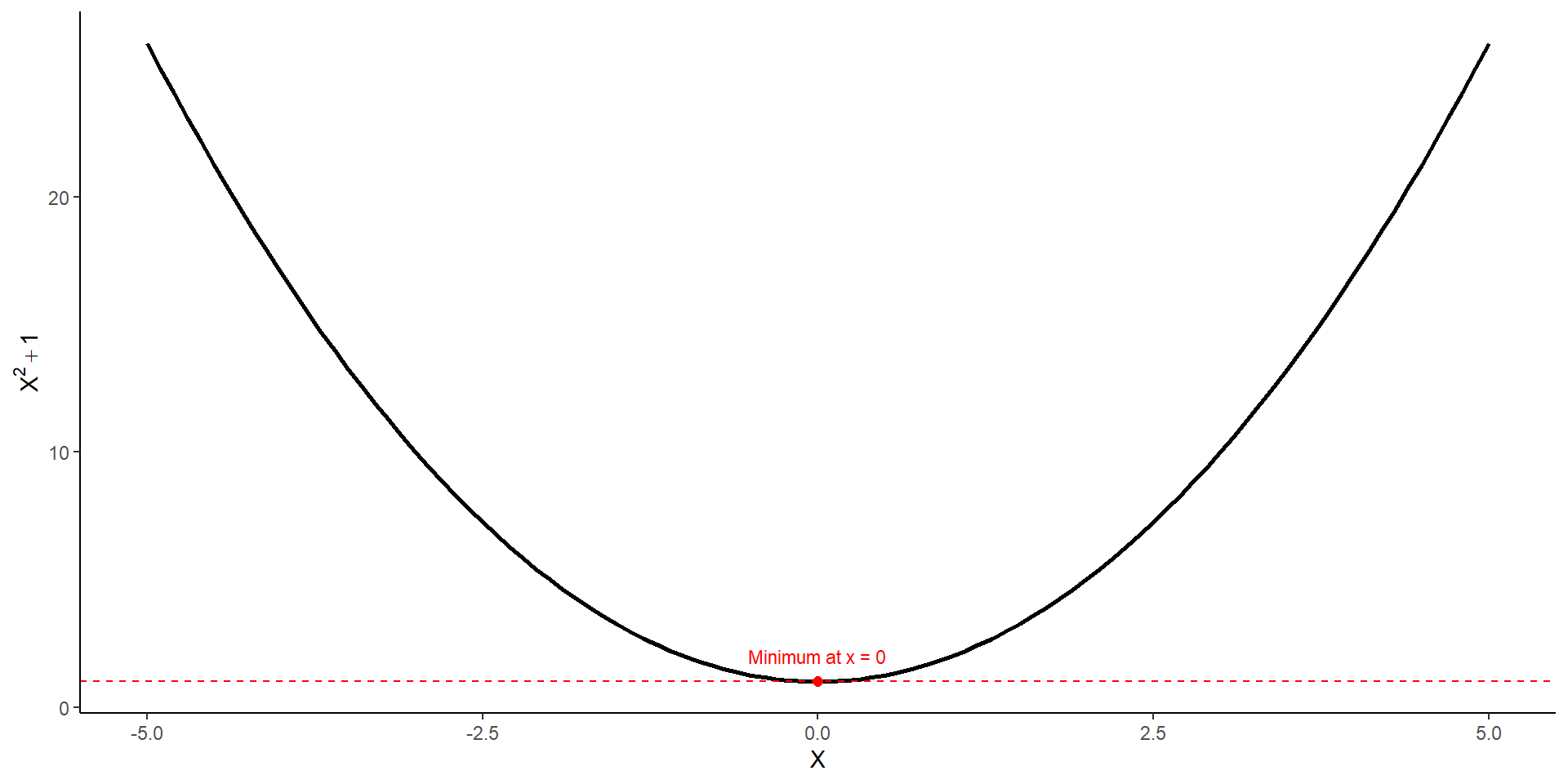
curve(function_1, from =-5, to =5,xlab ='X', ylab =expression(X^2+1), lwd =2)# Add red point from optim()points(x_min, y_min, col ="red", pch =19, cex =1.5)# tangent lineabline(h = y_min, col ="red", lty =2)# labeltext(x_min, y_min +1, labels =paste0("Minimum at x = ", round(x_min, 2)), col ="red", cex =0.9)
curve()
stat_function()
tibble(x =seq(-5, 5, by =0.1)) %>%ggplot(aes(x = x)) +stat_function(fun = function_1, linewidth =1) +geom_point(data =tibble(x_min,y_min),aes(x = x_min, y = y_min), color ="red", size =2) +geom_hline(yintercept = y_min, linetype =2, color ="red") +annotate("text", x = x_min, y = y_min +1,label =paste0("Minimum at x = ", round(x_min, 2)),color ="red", size =3) +labs(x =expression(X), y =expression(X^2+1)) +theme_classic()
stat_function()
Practice
Complete the following problems:
Create a function in R that is a negative quadratic (\(-x^2+10\)). Find the local maximum by hand, and find the maximum using optim(), compare your answers.
Create a function that has a minimum that is not a quadradic. Plot the function, then calculate the value of the function that produces the minimum and maximum using optim().
Create a function that contains both a maximum and a minimum and plot the function. Calculate the value of the function that produces the minimum, the maximum, as well as the values of the minimum and maximum.
Presenting Regression Results
One of the most important skills for being a political scientist is knowing how to present the results of our research
The most important question to ask yourself when presenting results is to ask yourself “what is my quantity of interest?”
The quantity of interest is whatever quantity is being used for the hypothesis test
The slope of a line
A difference in means
The difference between two slopes
Predicted probabilities across the range of a variable
Coefficient Plots
The most effective way of showing regression results is using a coefficient plot
With the skills you’ve already developed, you can create coefficient plots by hand easily
This is how I typically will get my results
There are also several packages out there that produce very nice coefficient plots
By Hand
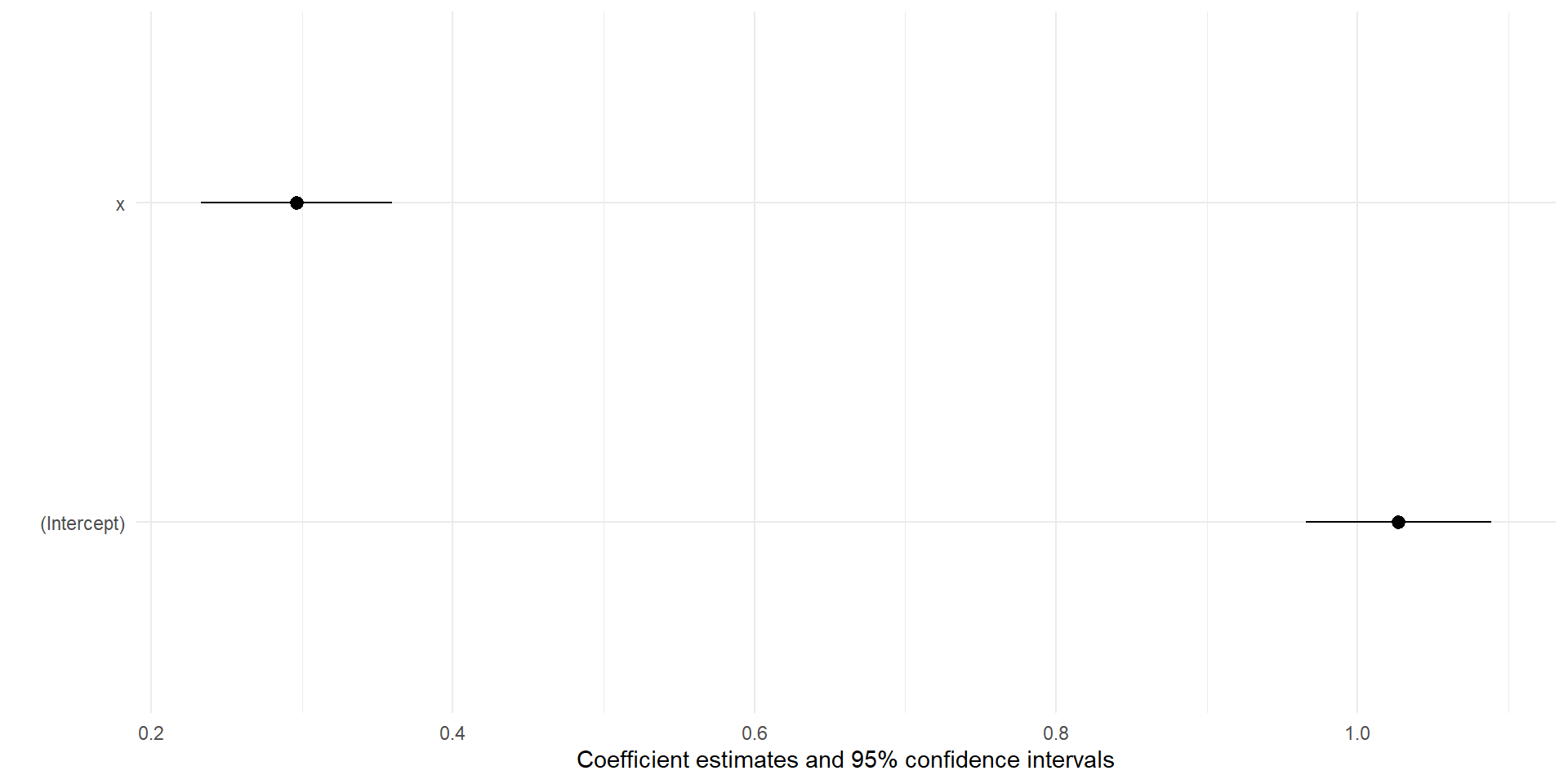
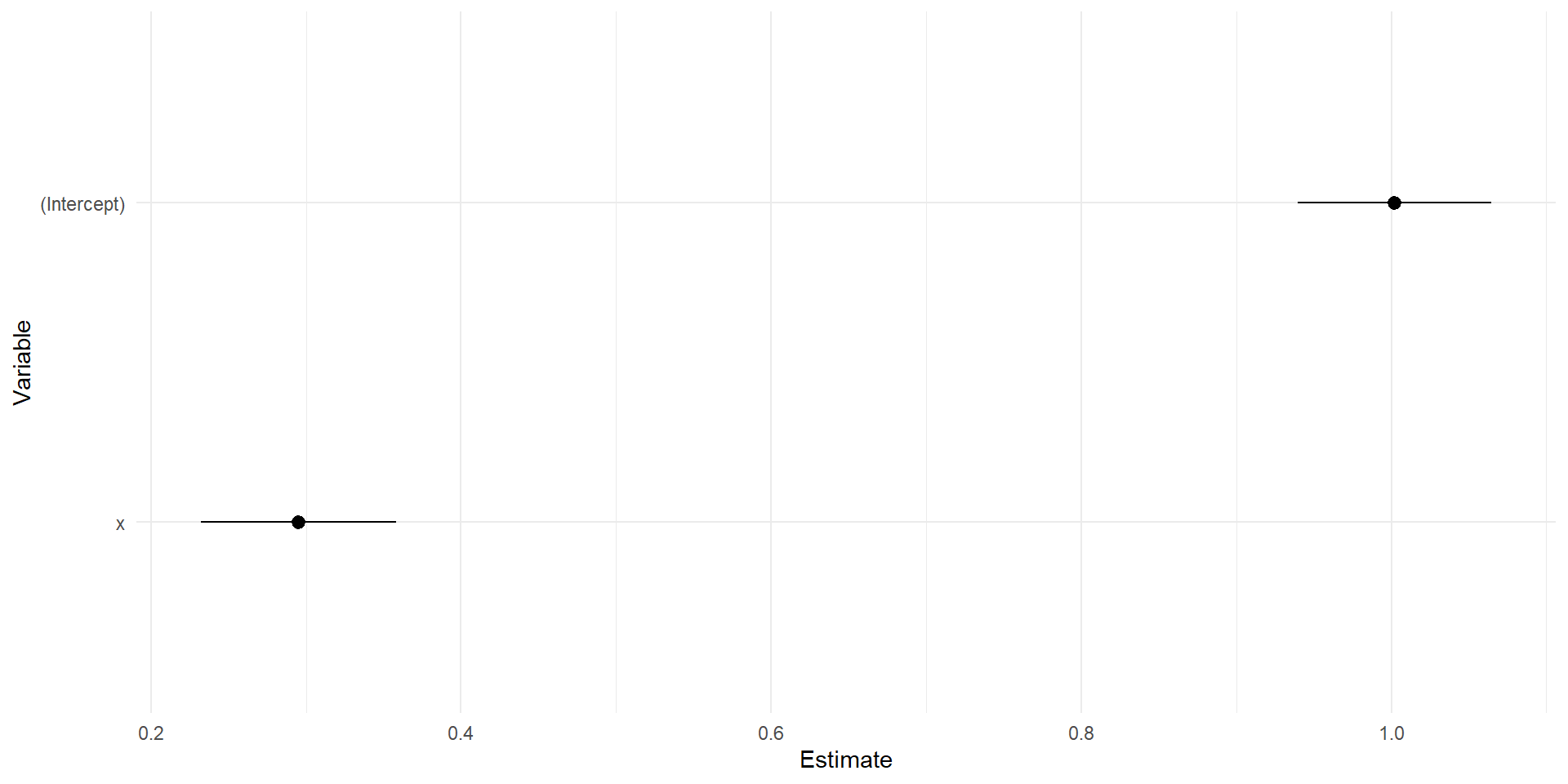
To make a coefficient plot by hand, all you need is your coefficient names, the coefficient value, and the standard error
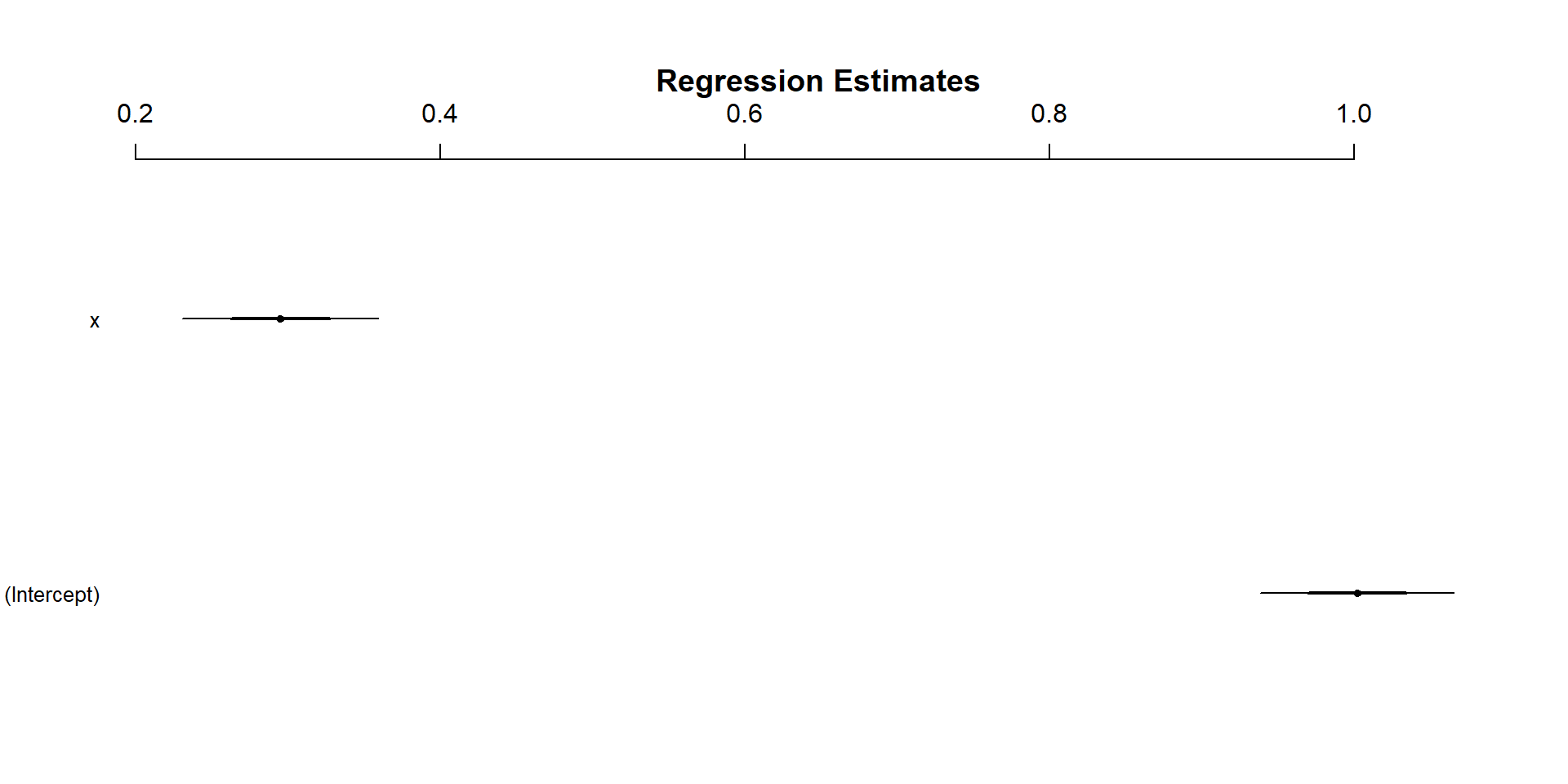
x <-rnorm(1000)y <-1+.25*x+rnorm(1000)fit <-lm(y~x)##extracting standard errorse <-summary(fit)$coefficients[, "Std. Error"]#in this case I'm typing the variable names by hand, you can get this out in other waystibble(var =c('(Intercept)','x'),coef =coef(fit),se = se) %>%mutate(lower = coef -1.96*se,upper = coef +1.96*se) -> coef_dat
By Hand
coef_dat %>%ggplot(aes(x = coef, y =fct_rev(var)))+geom_pointrange(aes(xmin = lower, xmax = upper))+labs(x ='Estimate', y ='Variable')+theme_minimal()
arm, broom, and modelsummary
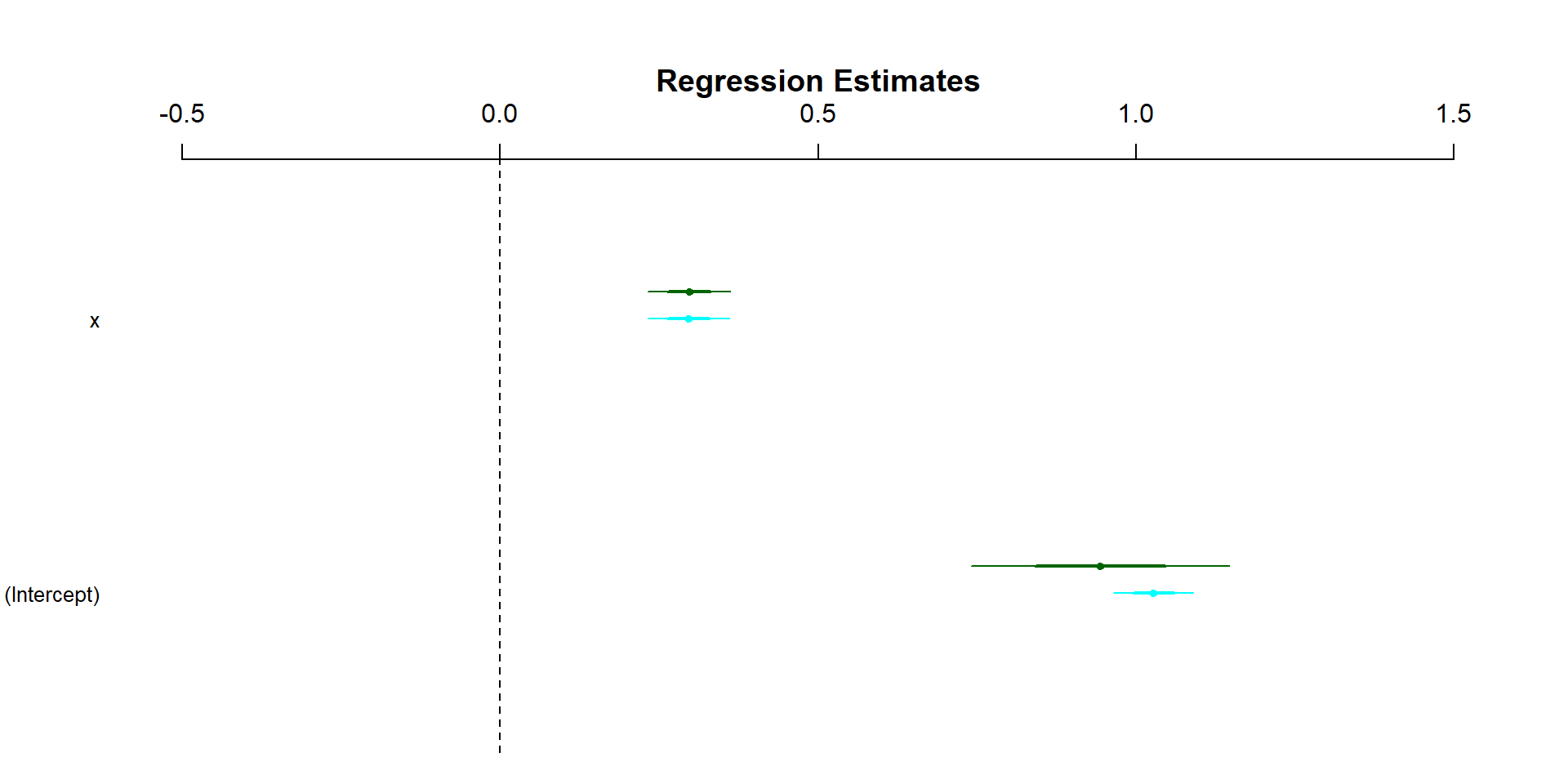
Broom, arm, and modelsummary are all packages offer caned alternatives to creating the figure by hand
the modelplot() function is from the model summary package
I’m going to handwave over the math for this part, but fixed effects and random effects/intercepts are ways in which we can account for higher level data in our models
Fixed effects are included in our model the same exact way we include any other covariates
For including random intercepts, we have a couple options: lme4, lmertest, and brm
lme4 and lmertest are packages to fit frequintist models with random intercepts
brm is a package that makes fitting Bayesian regression models a lot easier
lme4 and lmertest
For both packages, the function is lmer()
The function from lme4 does not privde p-values for your fixed effect terms, while the one from lmertest does, if you’re into that sort of thing
For actually using random intercepts, we write the formula the exact same way, and add the random intercepts with (1|var)
Random Intercepts
library(lmerTest)#setting up our problem##redrawing xx <-rnorm(1000)#setting up our grouping variablegroups <-c('g1','g2','g3','g4')group <-sample(groups, size =1000, replace =TRUE)# Create group-specific intercepts (random intercepts)group_intercepts <-rnorm(length(groups), mean =0, sd =2)names(group_intercepts) <- groupstibble(x = x,group = group) %>%group_by(group) %>%mutate(group_int = group_intercepts[group],y =1+ group_int +0.5* x +rnorm(n(), sd =1)) -> reg_dat#fitting our random intercepts modelfit_re <-lmer(y~x+(1|group), data = reg_dat)#refitting a standard regression modelfit2 <-lm(y~x, data = reg_dat)#including fixed effects insteadfit3 <-lm(y~x+group, data = reg_dat)
Random Intercepts
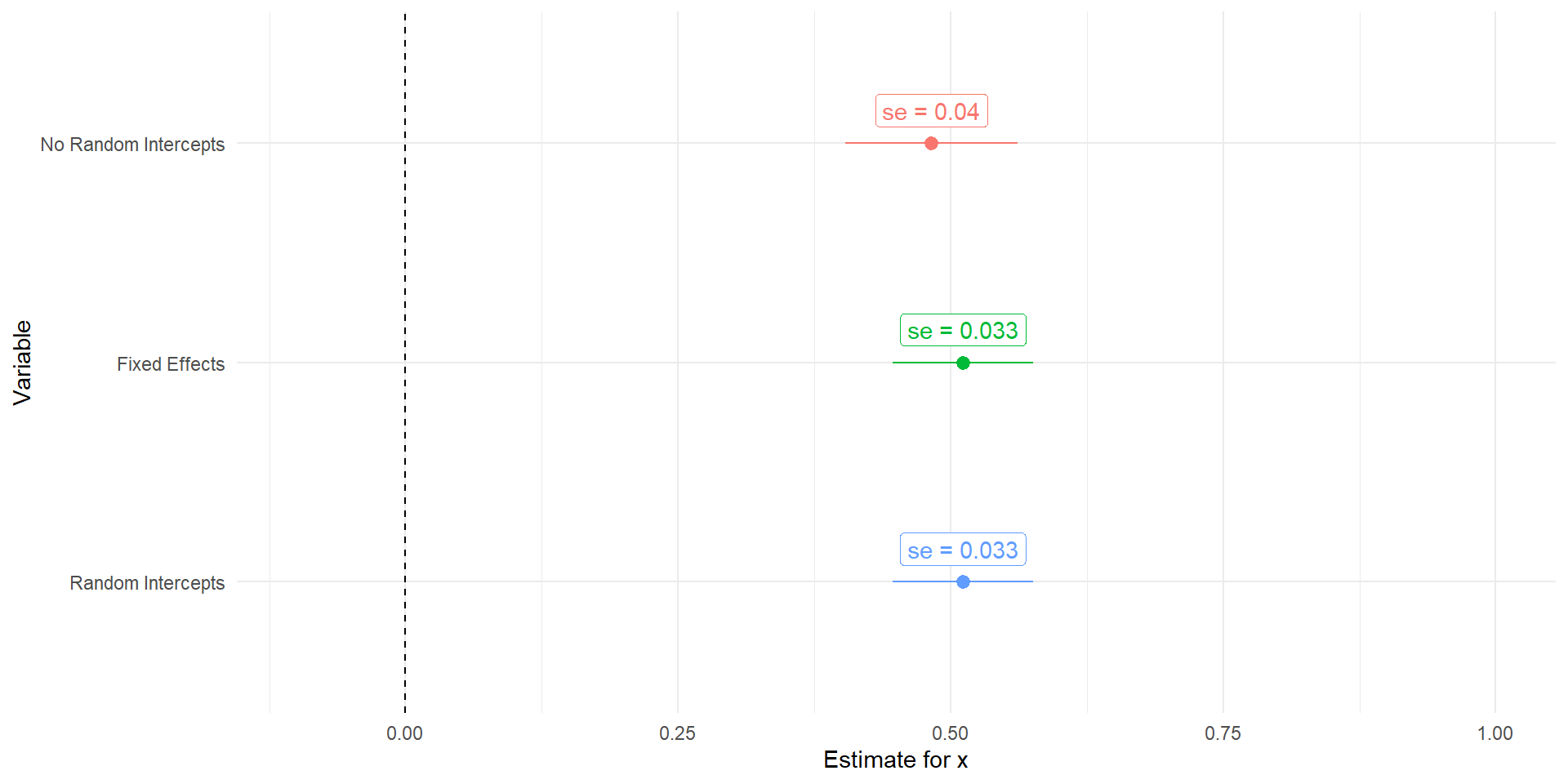
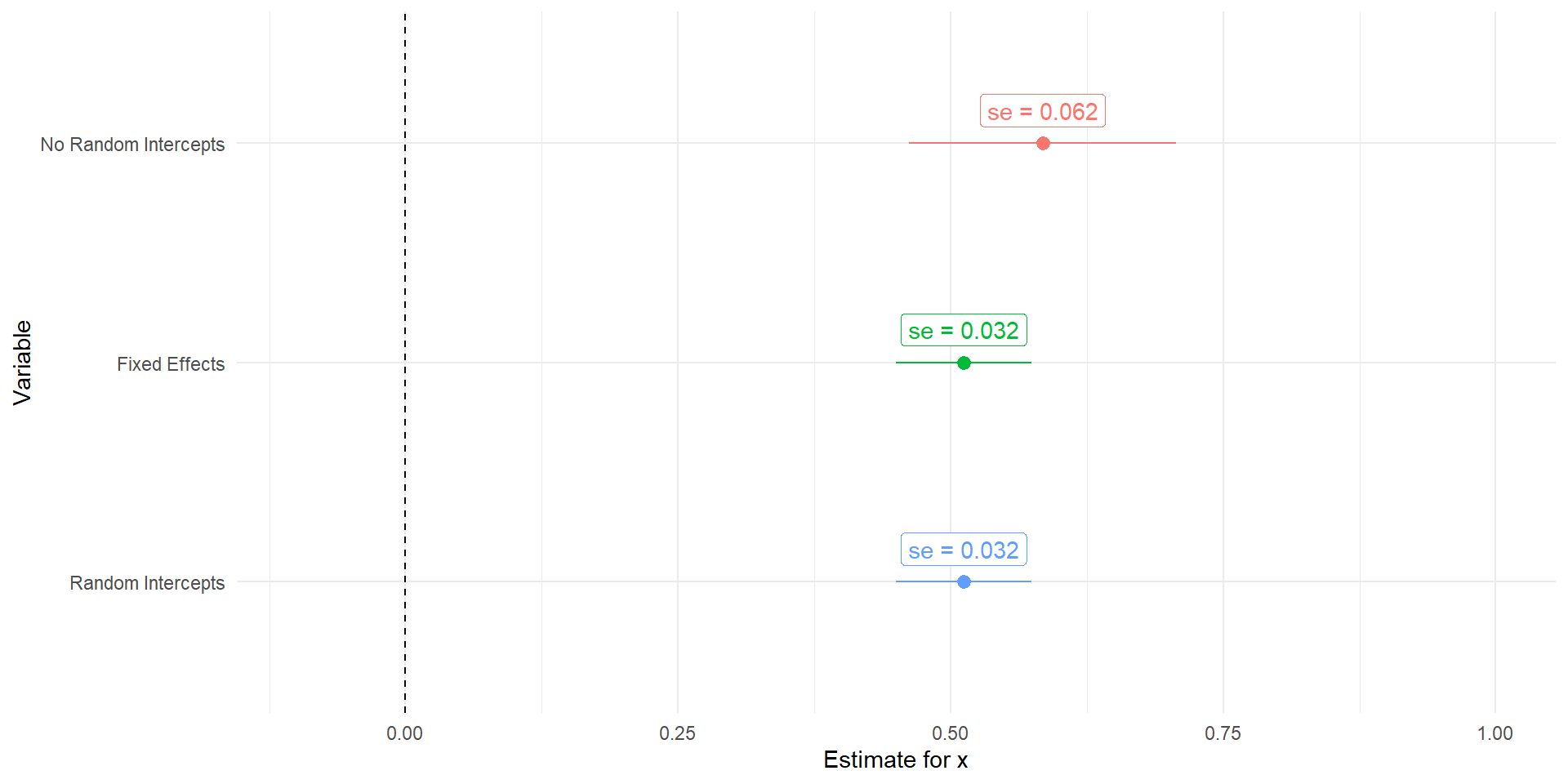
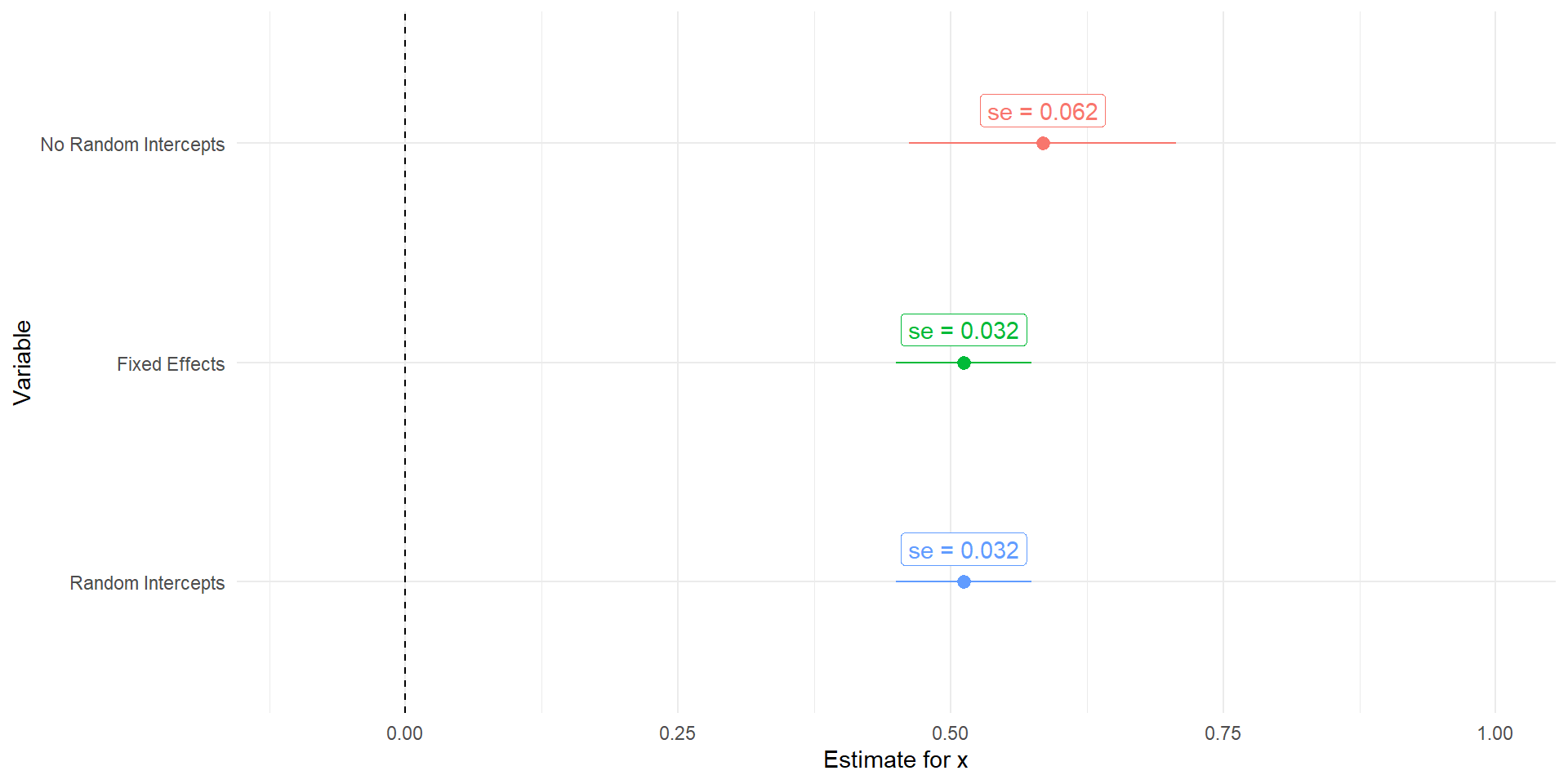
Note that the underlying data generating process has a different intercept based on our grouping variable
When we don’t account for this, the uncertainty in our regression coefficients increases dramatically
Depending on the severity of the problem, this can also result in bias being introduced in our regression coefficient
Random Intercepts
Code
tidy(fit2) %>%mutate(model ='No Random Intercepts') %>%bind_rows(broom.mixed::tidy(fit_re) %>%mutate(model ='Random Intercepts'),tidy(fit3) %>%mutate(model ='Fixed Effects')) %>%mutate(model =factor(model,levels =c('No Random Intercepts','Fixed Effects','Random Intercepts')),lower = estimate-1.96*std.error,upper = estimate+1.96*std.error) %>%filter(term =='x') %>%ggplot(aes(x = estimate, y =fct_rev(model), color = model))+geom_pointrange(aes(xmin = lower, xmax = upper))+geom_vline(aes(xintercept =0), linetype =2)+geom_label(aes(label =paste('se = ', round(std.error, 3),sep ='')),nudge_y = .15)+labs(x ='Estimate for x', y ='Variable', color ='Model')+xlim(-.1,1)+theme_minimal()+theme(legend.position ='none')
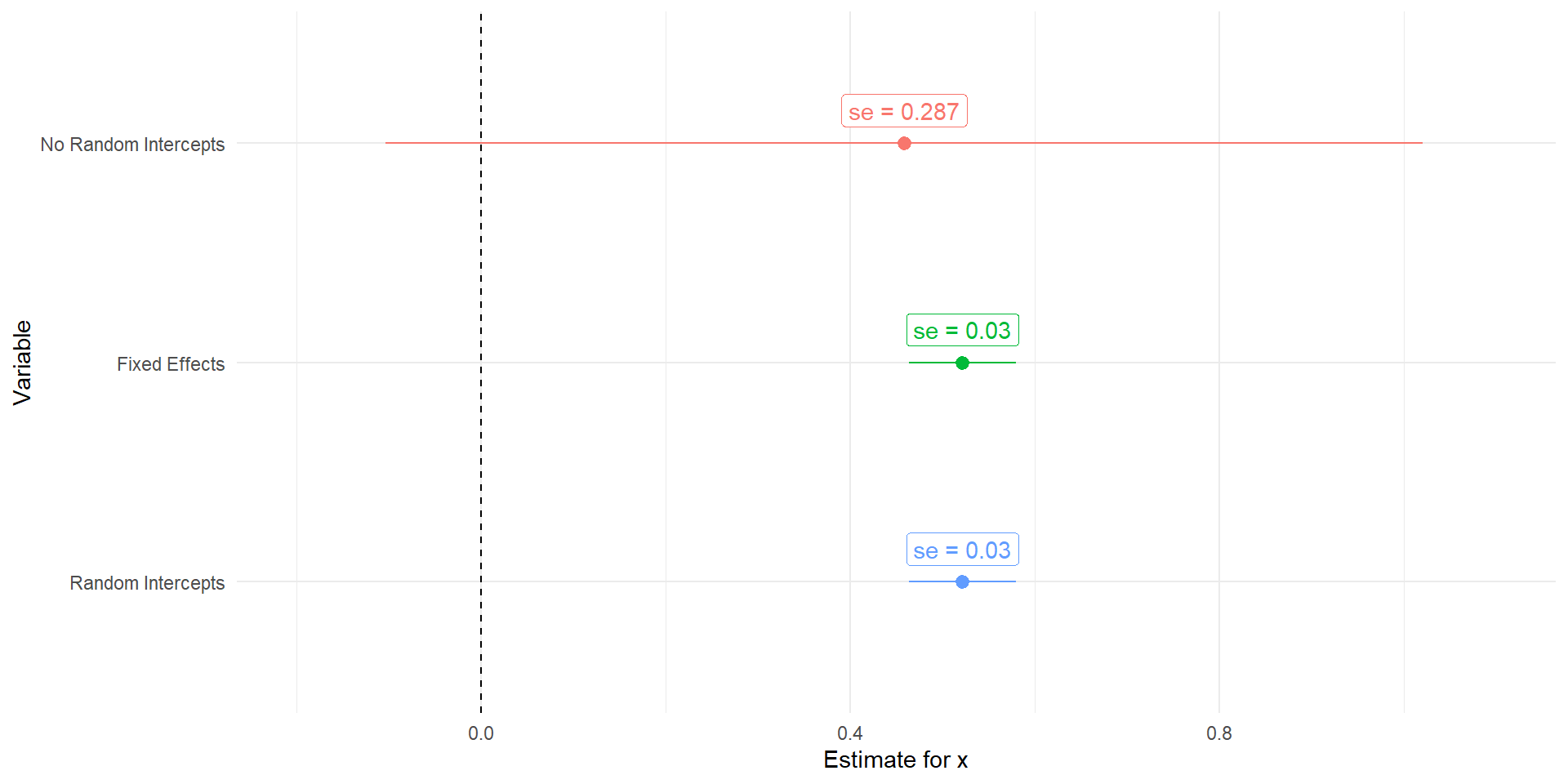
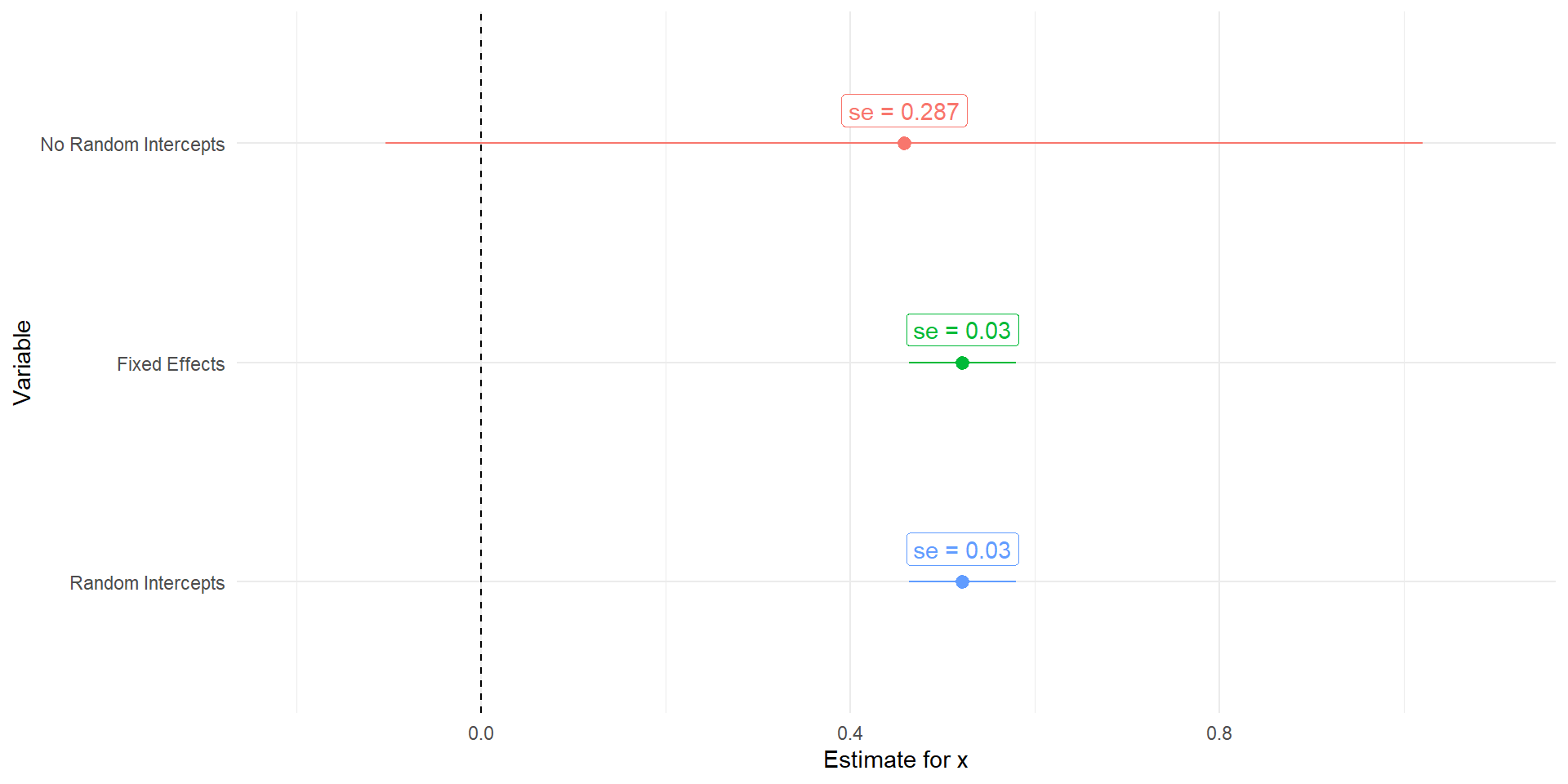
With more variation in the intercepts
The more different our intercepts are, the worse our uncertainty will get without the random intercepts
Code
set.seed(117)#setting up our problem##redrawing xx <-rnorm(1000)#setting up our grouping variablegroups <-c('g1','g2','g3','g4')group <-sample(groups, size =1000, replace =TRUE)# Create group-specific intercepts (random intercepts)group_intercepts <-rnorm(length(groups), mean =0, sd =10)names(group_intercepts) <- groupstibble(x = x,group = group) %>%group_by(group) %>%mutate(group_int = group_intercepts[group],y =1+ group_int +0.5* x +rnorm(n(), sd =1)) -> reg_dat#fitting our random intercepts modelfit_re <-lmer(y~x+(1|group), data = reg_dat)#refitting a standard regression modelfit2 <-lm(y~x, data = reg_dat)#including fixed effects insteadfit3 <-lm(y~x+group, data = reg_dat)tidy(fit2) %>%mutate(model ='No Random Intercepts') %>%bind_rows(broom.mixed::tidy(fit_re) %>%mutate(model ='Random Intercepts'),tidy(fit3) %>%mutate(model ='Fixed Effects')) %>%mutate(model =factor(model,levels =c('No Random Intercepts','Fixed Effects','Random Intercepts')),lower = estimate-1.96*std.error,upper = estimate+1.96*std.error) %>%filter(term =='x') %>%ggplot(aes(x = estimate, y =fct_rev(model), color = model))+geom_pointrange(aes(xmin = lower, xmax = upper))+geom_vline(aes(xintercept =0), linetype =2)+geom_label(aes(label =paste('se = ', round(std.error, 3),sep ='')),nudge_y = .15)+labs(x ='Estimate for x', y ='Variable', color ='Model')+xlim(-.2,1.1)+theme_minimal()+theme(legend.position ='none')